I got a call at 11:03 PM last year. A client. Panic in his voice. His website was showing a phishing page in Chinese. Every URL redirected to a fake login screen. His customers were messaging him on Facebook asking if he’d been hacked.
He had been.
An outdated contact form plugin — one he’d never asked for, installed by the previous developer because it was “free” and saved an hour of custom work — had a known vulnerability. The attacker automated the exploit, dropped a backdoor, and replaced his homepage. It took me four hours to clean. Two more days to harden everything else. The client didn’t sleep that night. Neither did I.
That’s not a WordPress bug. That’s WordPress economics.
I’ve been building websites since 2001. I’ve used WordPress for fifteen of those years. I’ve built blogs, corporate sites, e-commerce stores, and membership platforms on it. I’m not saying it’s a bad tool. I’m saying it’s the wrong default for the projects that come through my door today.
The problem isn’t WordPress itself. The problem is what WordPress becomes after six months of real use.
Plugin Dependency Is Technical Debt With a Friendly Name
Every plugin is someone else’s code running on your server with full database access. The average business WordPress site I inherit has between fifteen and thirty plugins. Each has its own update cycle, security surface, and compatibility matrix. Each was installed to solve a specific problem cheaply. None were evaluated as part of a system.
That contact form plugin my client was hacked through? It was installed in 2019. Last updated by its developer in 2022. The vulnerability was published on a security blog in March. My client’s site was compromised in April. Nobody had checked.
This is the hidden cost of the plugin economy. You get features fast. You get maintenance forever. And if you’re a business owner who thought you bought a website, not a maintenance subscription, you find out the hard way.
“Free” WordPress Is the Most Expensive Option
The pitch is seductive. Free core. Free theme. Free plugins. Then reality:
-
Premium plugin renewals at $50–$300 per year, per plugin
-
Managed hosting because shared hosting can’t handle the bloat
-
Security monitoring because WordPress is the most attacked CMS on the internet
-
A developer on call because something breaks every quarter
-
Emergency cleanup when the inevitable happens
I’ve done the math for clients. Over three years, the total cost of ownership of a “free” WordPress site often exceeds what I would have charged to build it properly on a modern stack. But the costs are invisible — small recurring charges, emergency invoices, lost sleep — instead of one upfront line item.
Performance Is a Feature, Not an Afterthought
The last WordPress site I audited for a client had a premium page builder, a slider plugin, a forms plugin, a cookie banner plugin, a social feed plugin, an SEO plugin, a backup plugin, a caching plugin, and a security plugin. The caching plugin existed because without it, the site took eight seconds to load. The security plugin existed because the other plugins created attack surface.
It scored 34 on PageSpeed Insights.
This wasn’t a badly built site. It was a normal WordPress site. The previous agency wasn’t negligent — they were efficient. They used tools that let them deliver faster. The client paid for that efficiency with performance, security, and long-term maintenance.
A modern static or server-rendered site scores 90+ on PageSpeed out of the box. Not because it’s optimized. Because it doesn’t have bloat to optimize away.
What I Recommend Instead
I don’t pitch “custom everything.” I pitch the right architecture for the job. Here’s what I use now:
Marketing Sites & Brochure Sites: Astro + Headless CMS
For most of my agency clients — the ones who need a fast, reliable site that converts leads and doesn’t require a monthly maintenance retainer — I build on Astro.
Astro is a static site generator that ships zero JavaScript by default. Pages are HTML files. They load instantly. They score 95+ on PageSpeed without trying. They cost almost nothing to host.
For content management, I use a headless CMS — Sanity or Strapi, depending on the client’s editing needs and budget. The CMS handles content. Astro handles the frontend. They’re connected by an API. There’s no database running on the public server. There’s no plugin ecosystem to maintain.
When the project needs something truly custom — a unique editorial workflow, specific content relationships, or tight integration with other systems — I build the CMS layer from the ground up. It’s more upfront work, but it eliminates the “will this third-party tool still exist in two years?” question entirely.
The result: a site that loads in under a second, costs $0–$20 per month to host, and requires no security patches. I’ve rebuilt three WordPress sites on this stack in the past year. In every case, the client’s hosting bill dropped by 70–80%. Support tickets went from monthly to zero.
E-commerce: Shopify or Medusa
For standard online stores, I recommend Shopify. Not because it’s perfect — because it handles PCI compliance, security, and scaling so you don’t have to. For complex product configurators or custom checkout flows, Medusa gives you full control without inheriting WordPress’s architecture.
WooCommerce is powerful. It also inherits every problem I described above, with payment processing added to the risk surface.
Web Applications: Next.js or Nuxt
If you’re building an application — user accounts, dashboards, real-time features — WordPress isn’t even in the conversation. React or Vue with a proper API layer is the baseline. Anything else is a workaround.
When WordPress Still Makes Sense
I’m not dogmatic about this. WordPress is still the right choice for some projects:
-
Blogs and editorial sites — It’s genuinely excellent at publishing content. If you’re a writer first and everything else is secondary, WordPress is hard to beat.
-
Non-technical owners with no developer budget — The plugin ecosystem lets them add features without writing code. That’s real value, even if it comes with tradeoffs.
-
Projects under $5,000 — The tooling is mature, themes exist, and you can deliver fast. For a simple brochure site with a tight budget, the math can work.
-
Organizations with in-house WordPress expertise — If they have a full-time WP person, don’t force a stack change. The best technology is the one your team can maintain.
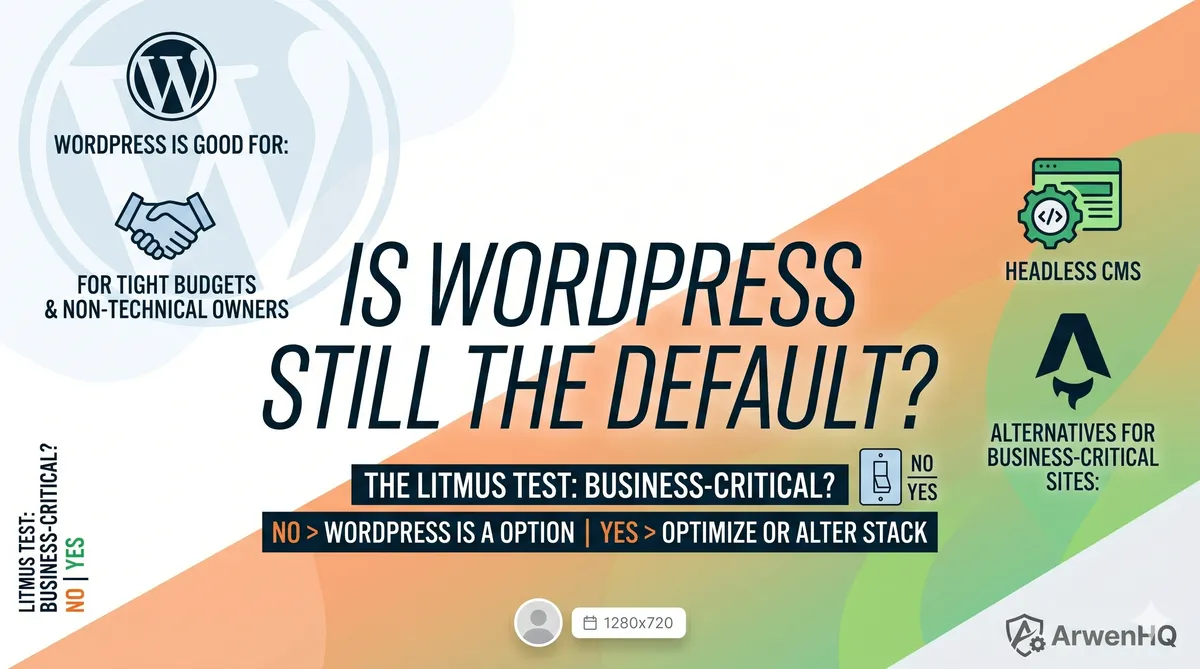
The litmus test I use with clients: Is this site business-critical? Does it need to load fast, stay online, and convert visitors? Will you care if it’s down for an hour?
If yes, WordPress is a gamble I’m no longer willing to take with their money.
“But WordPress Powers 43% of the Web”
So does gravity. That doesn’t make it the right tool for every job.
WordPress dominates because it’s accessible, not because it’s optimal. Most of that 43% is blogs, hobby sites, and small businesses that don’t know they have options. My clients aren’t most of the web. They’re businesses that need reliability, speed, and a total cost of ownership they can predict.
The question isn’t whether WordPress can work. The question is whether it’s the best risk-adjusted choice for a business that depends on its website.
The Unfinished Part
I’m still figuring out the exact stack for every edge case. Right now, Astro plus a headless CMS is working for 80% of my agency projects. The other 20% need custom CMS builds or different frameworks entirely. I’m tracking what works and what doesn’t.
What I do know: since I stopped defaulting to WordPress, my clients sleep better. I sleep better. Support tickets are down. PageSpeed scores are up. And nobody has called me at 11 PM because their free plugin got exploited.
I’m also building something into ArwenHQ — the project management tool I’m working on — that formalizes this: a stack recommendation built into the project setup flow. Not because I want to be prescriptive, but because the technology decision should be intentional, not a default. That’s still in design. I’ll share it when it’s real.
If you’re running an agency and you’re still defaulting to WordPress for every project, you’re passing hidden costs to your clients. And eventually, they’ll figure it out — usually at 11 PM, when something breaks.